 EXIF Pro
Every photo carries a story. Choose what you share.
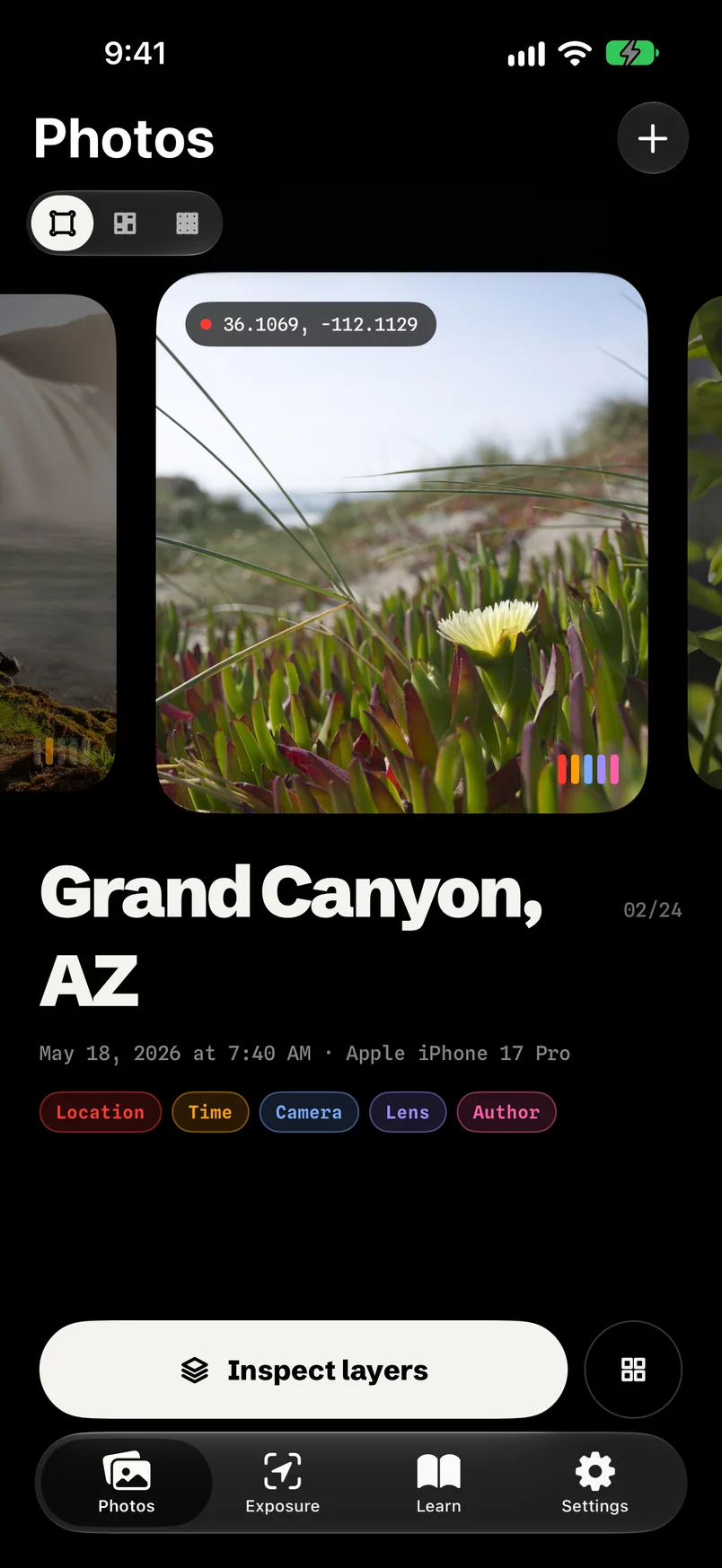
See the location, time, camera, lens and author hidden in every photo. Edit it or peel it off, right on your iPhone.
- Photos are processed on your iPhone
- No account and no ads
- Originals stay unless you say otherwise
Five layers in every photo.
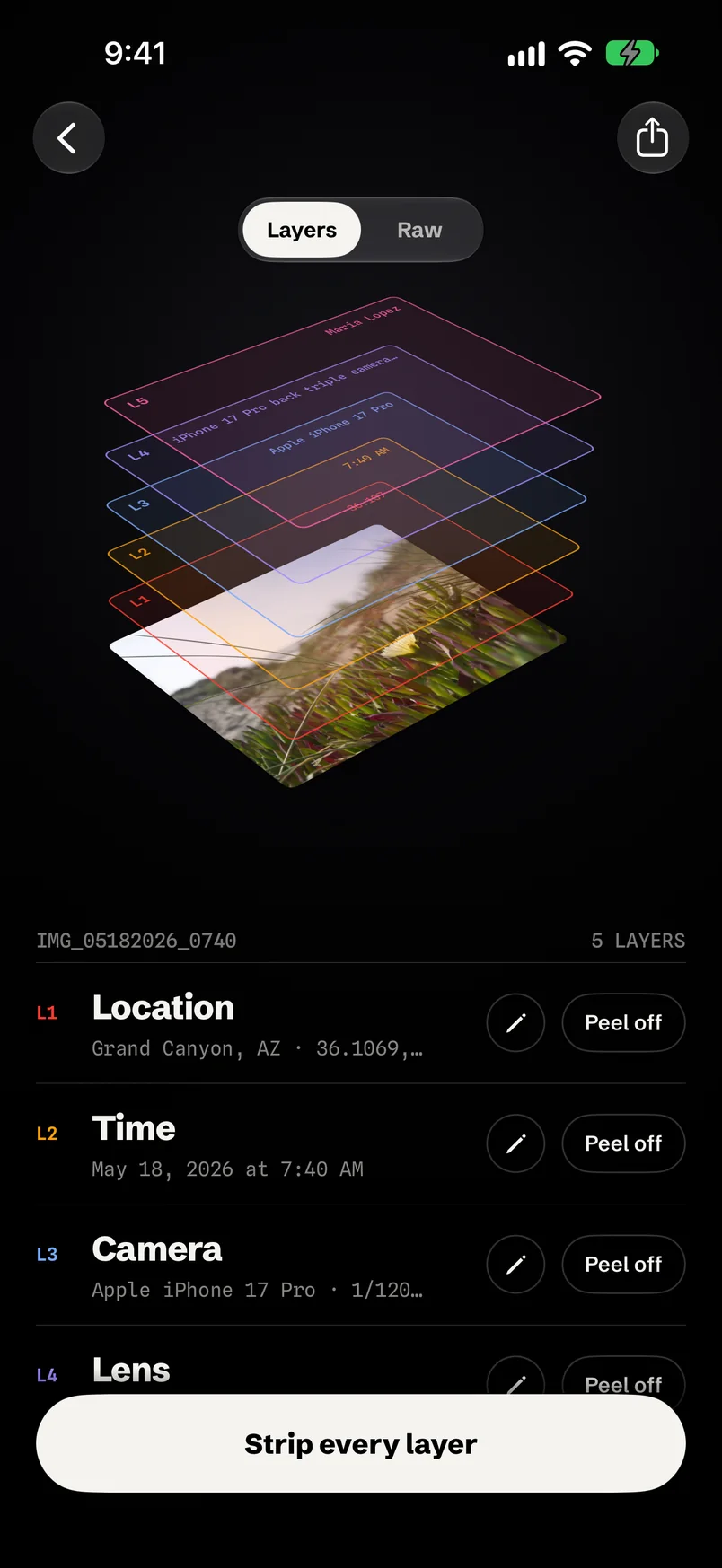
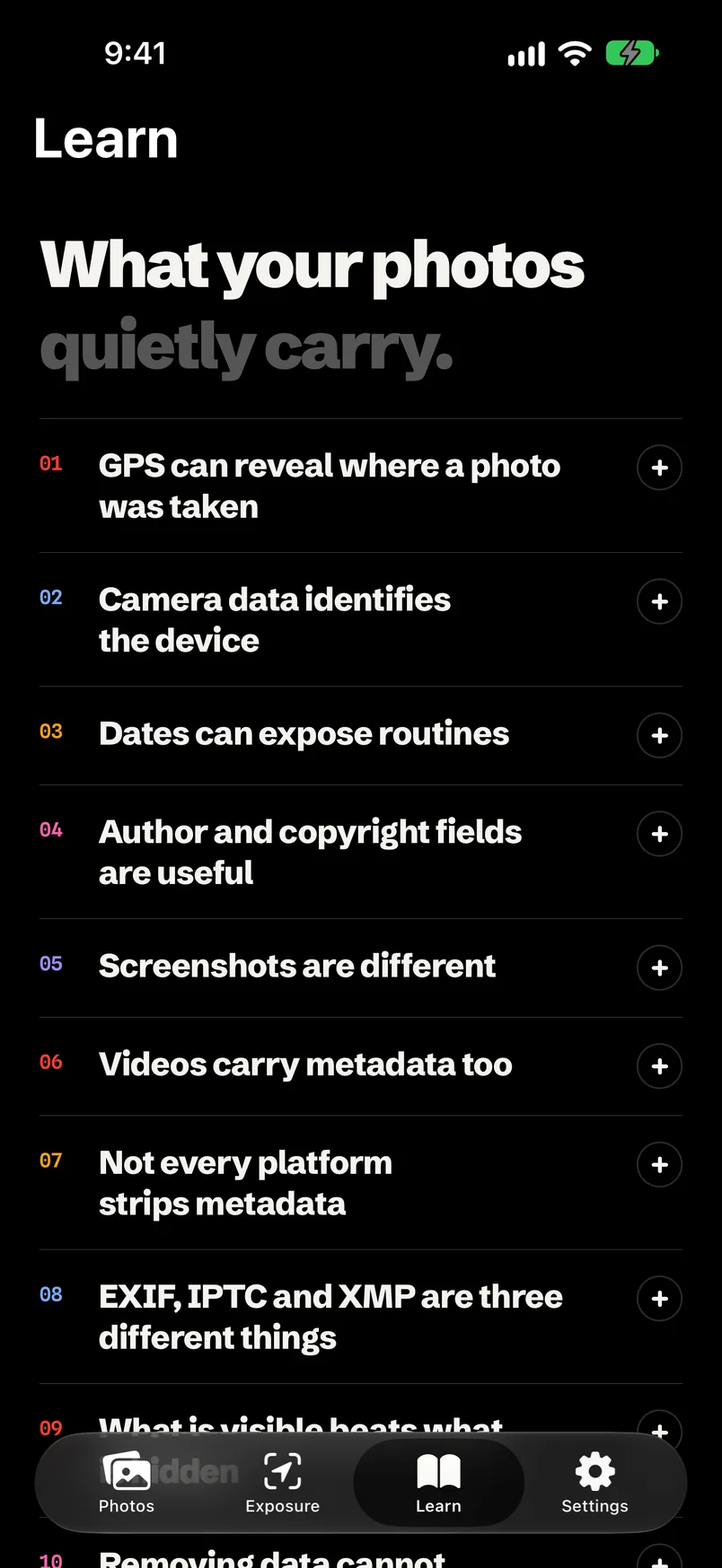
Each one tells a stranger something about you. EXIF Pro shows them as layers you can read, edit or peel off.
Location
The exact spot the photo was taken, down to a few metres. Often your home.
Time
When it was taken. A few photos are enough to map a routine.
Camera
Make, model and settings, enough to link photos to one device.
Lens
The exact lens and focal length behind the shot.
Author
Name and copyright, written in by cameras and editing apps.
Underneath the five layers, a Raw view lists every EXIF, IPTC, TIFF and GPS field in the file.
Peel off any layer. Or strip them all.
Open a photo and it lifts into a stack, one tinted sheet per layer. Edit a layer, peel it off, or strip every one and watch the photo settle back down, clean.
- Edit any field. Fix the date, set author and copyright, or move the photo on a real map.
- Nothing is written until you tap Save or Share.
- Copy metadata from another photo to match a set.
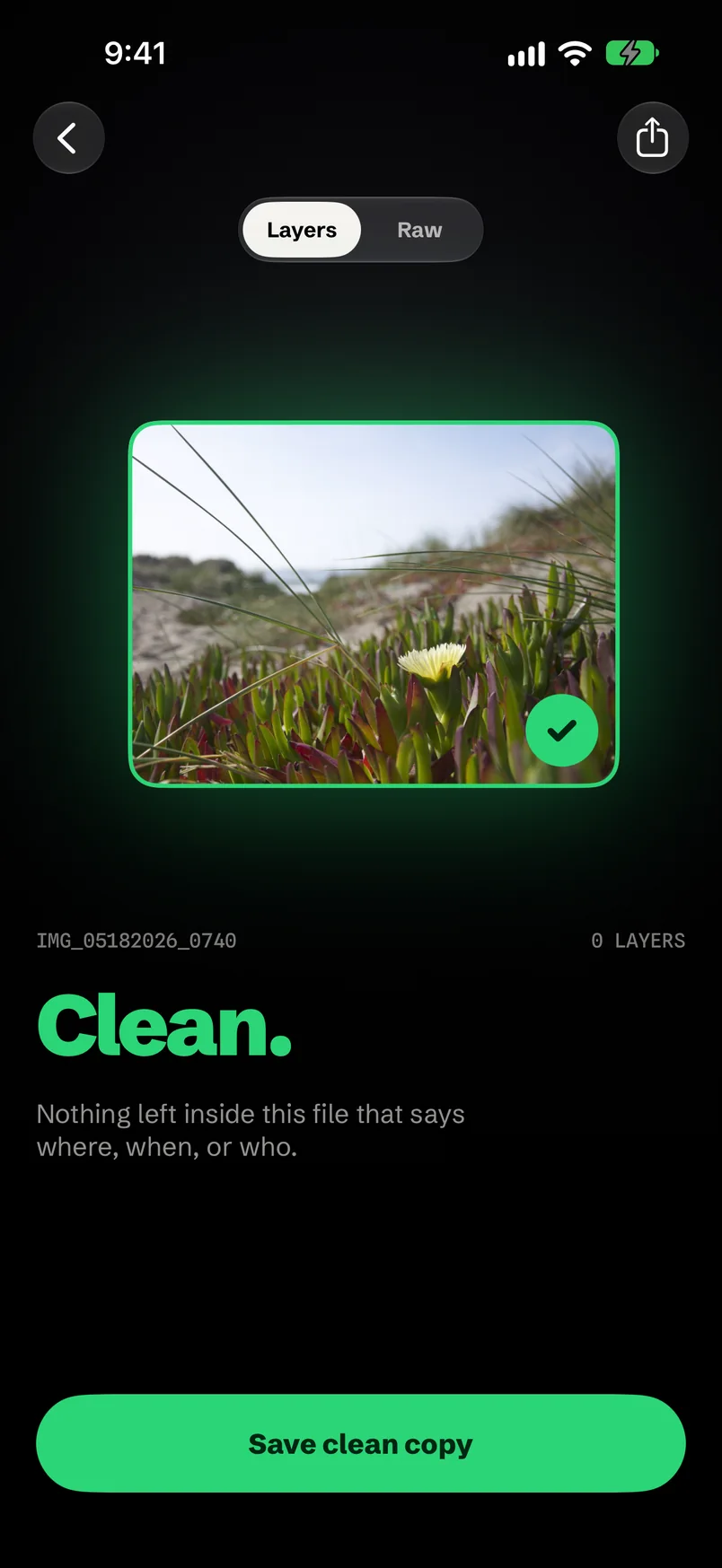
Clean. Nothing left that says where, when or who.
The stack collapses into a clean copy, ready to save to Photos or send anywhere. You decide what happens to the original.
- Secure Wipe overwrites sensitive values with zeros before removing them.
- Share straight out to Messages, Mail, AirDrop or any app.
For a whole library, too.
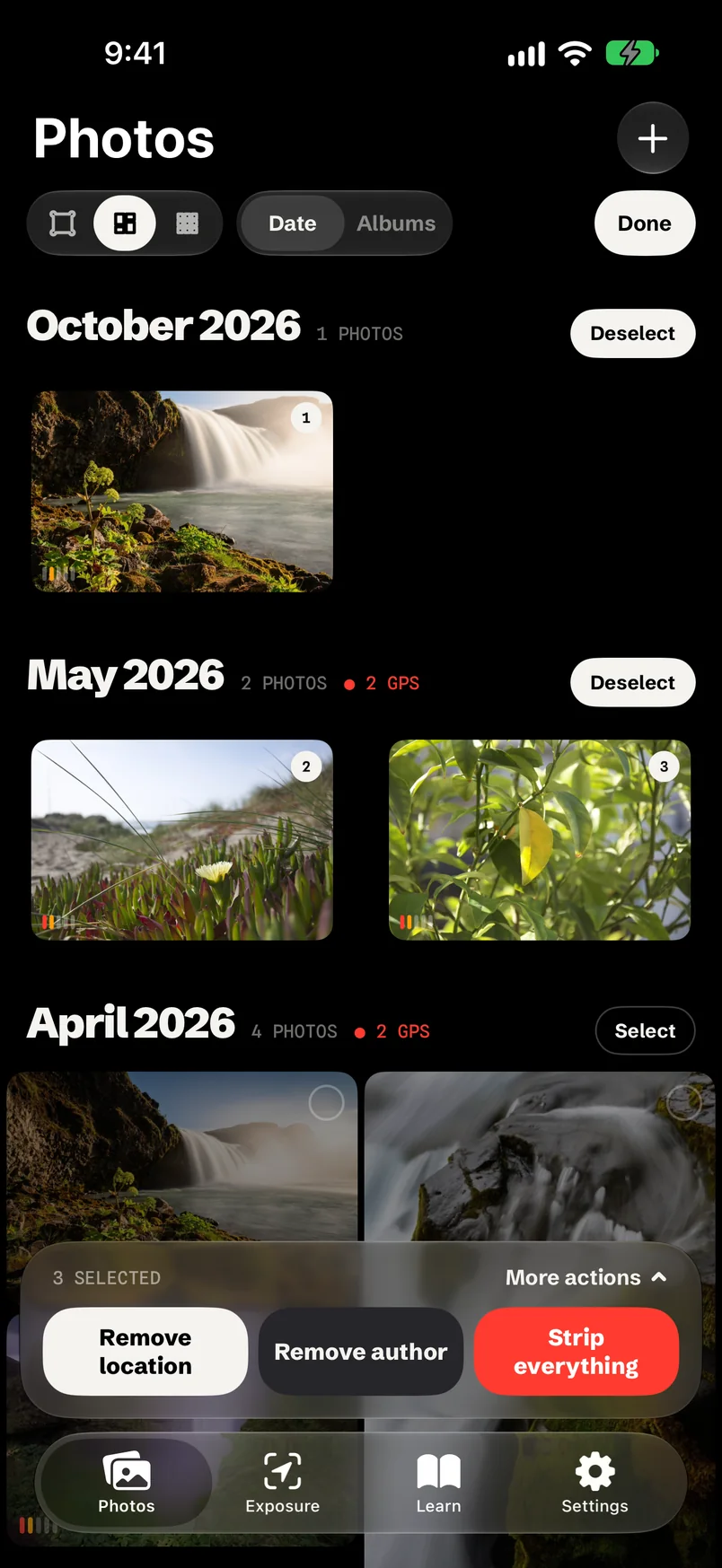
Bulk clean
Select a batch and remove location, author or everything in one pass.
Exposure
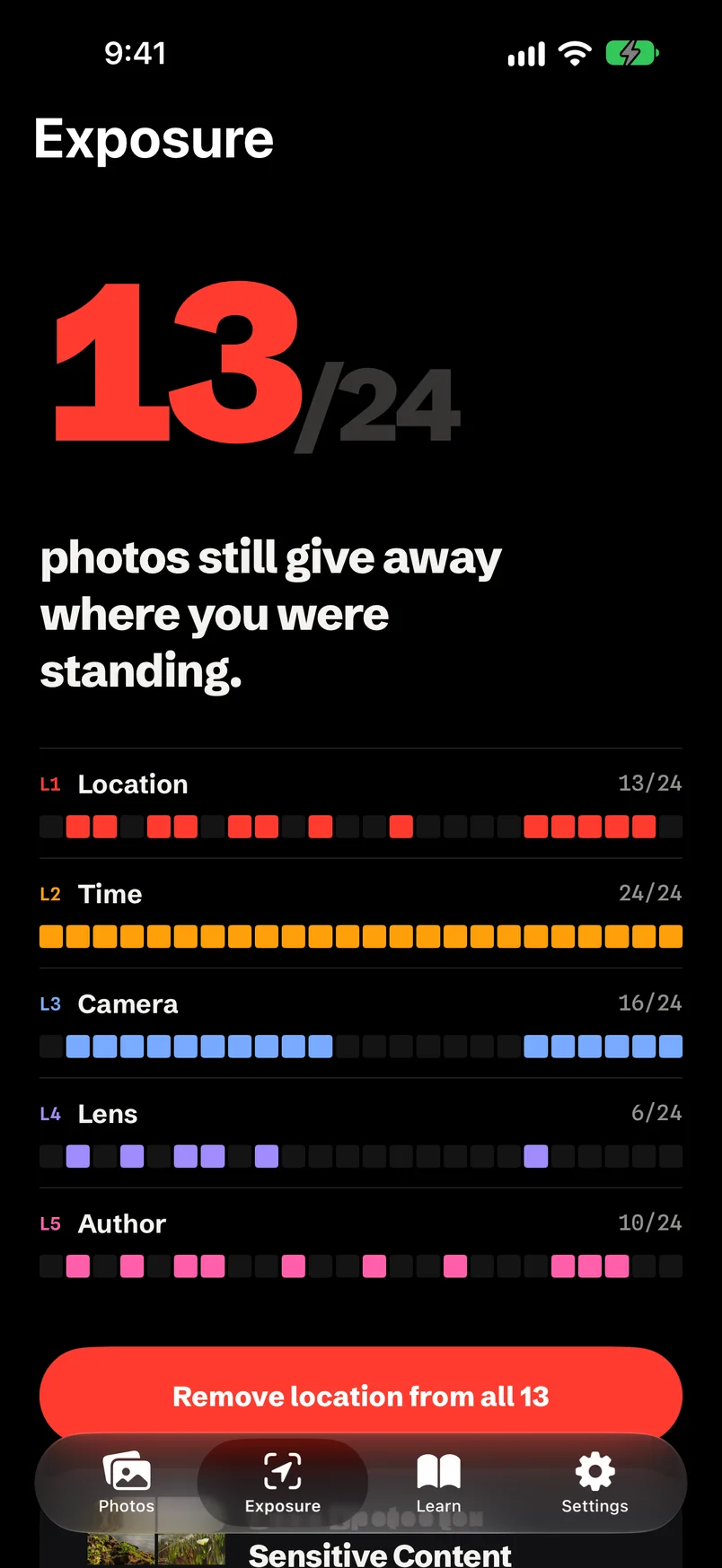
One number shows how many photos still give away where you were standing. One tap removes location from all of them.
Sensitive-content scan
On-device Vision looks inside the picture for IDs, card numbers, passwords and faces.
Presets and templates
One tap for Social, Client delivery, Marketplace or Anonymous export. Save your own author and copyright.
Dark by design.
A black canvas, one colour per layer, and full support for Dynamic Type, VoiceOver and Reduce Motion.
An app about privacy has to be private itself.
EXIF Pro reads and rewrites your photos entirely on your iPhone, using Apple's ImageIO and Vision. There is no account, no advertising and no third-party SDK, and photos never leave the device.
Your photos never go to us. Apart from downloading iCloud originals you open, the app talks to Apple for a version check, purchases and place names (a photo's GPS coordinates are looked up with Apple's location service to show “City, State”) and, unless you switch it off in Settings, sends us anonymous usage counts tied to a random installation ID. We never receive your name, location, device identifiers or anything from a photo.
Good questions.
Does removing metadata change the picture itself?
Only the metadata changes. The clean copy keeps the full resolution and is saved at maximum quality, along with HDR and depth data.
What is the difference between Strip All and Secure Wipe?
Strip All removes the metadata blocks from the file. Secure Wipe first overwrites sensitive values (location, identity, dates) with zeros and then removes them, for cases where you want no trace of the original values.
Will it overwrite my original photos?
Not unless you ask. Save Copy writes a new photo to your library, and the app asks whether to keep or delete the original. You can set a default in Settings.
Does iPhone already remove location when I share?
Sometimes. Messages and some share targets strip GPS, but many apps, cloud drives, email attachments and marketplace uploads keep the full metadata. EXIF Pro lets you see and decide, instead of guessing.
Which formats are supported?
JPEG, HEIC and PNG photos from your library or imported files, plus other photo formats depending on their container. Live Photos are saved as a still copy. Video files are not supported.

Know what your photos say.
Free on iPhone and iPad: see everything and save your first 3 clean copies. EXIF Pro unlocks unlimited cleaning, bulk edit, Secure Wipe and the privacy scan for $4.99 a month, $14.99 a year or $39.99 once.
Download on the App Store